Blog

  • Tony.Interceptor

    Welcome to Tony.Interceptor

    This is a project written by C# that can intercept instance method you want

    You can do something before and do something after when you invoke the method

    why use Tony.Interceptor

    You can image you have write thousands of methods.one day ,your boss requires you to add the log for each method,you are driven mad.Would you want to write the log code in each method?

    or you use the third part AOP Framework?That is very heavy

    No,this is the reason you use Tony.Intercetor!!!

    usage

    1.define a class that implement the interface IInterceptor:

    so you can handle the BeforeInvoke and AfterInvoke

    class LogInterceptor : IInterceptor
        {
            public void AfterInvoke(object result, MethodBase method)
            {
                Console.WriteLine($"执行{method.Name}完毕,返回值:{result}");
            }
    
            public void BeforeInvoke(MethodBase method)
            {
                Console.WriteLine($"准备执行{method.Name}方法");
            }
        }

    2.markup the class or method that you want to Intercept

    First of all,the class must extend to Interceptable,in fact,the class Interceptable extends from ContextBoundObject,just put the class into the environment context

    Then,you can use InterceptorAttribute to mark the class or a instance method in the class

    If you mark the class ,it intercepts all the public instance method by default.

    If you do not want to intercept a method int the marked class,you can use InterceptorIgnoreAttribute

    [Interceptor(typeof(LogInterceptor))]
        public class Test:ContextBoundObject
        {
            public void TestMethod()
            {
                Console.WriteLine("执行TestMethod方法");
            }
            public int Add(int a, int b)
            {
                Console.WriteLine("执行Add方法");
                return a + b;
            }
            [InterceptorIgnore]
            public void MethodNotIntercept()
            {
                Console.WriteLine("MethodNotIntercept");
            }
        }

    3.create the instance from the class and invoke the method

    class Program
    {
        static void Main(string[] args)
        {
            Test test = new Test();
            test.TestMethod();
            test.Add(5,6);
            test.MethodNotIntercept();
            Console.Read();
        }
    }

    Global Setting

    this is a switch that can enable or disable the interceptor.the switch is:

    public static bool IsEnableIntercept { get; set; } = true;

    the default value is true.if we set to false,the interceptor we have deployed is invalid

    Visit original content creator repository

  • flutter_mobile_command_tools

    MobileTool

    超级方便的adb命令工具,支持所有桌面端,不管你是开发还是测试,都可以试试看。

    说明

    • 关于Android

      请自行打开手机开发者模式中的USB调试,确保手机和电脑能连接上。确保能使用adb连接上。。本工具Android模块只是将adb的大部分命令进行了懒人模式,有问题欢迎提issues。adb命令参考

    • 关于IOS

      使用libimobiledevice,IOS意义不是很大。就写了几个小功能。还是爱思比较香。

    • 关于配置文件和工具

      • 本地文件路径

        1. Windows:C:\Users\用户名\Documents\MobileTools
        2. Linux:/home/用户名/Documents/MobileTools
        3. Windows:/Users/用户名/Documents/MobileTools
      • MobileTools的目录结构

        1. apksigner文件夹(签名文件)
        2. config文件夹(用于保存一些信息)
        3. tools文件夹(包含adb、反编译一些本地文件)
          • apktool文件夹(存放apktool.jar文件和FakerAndroid.jar,去云盘取)
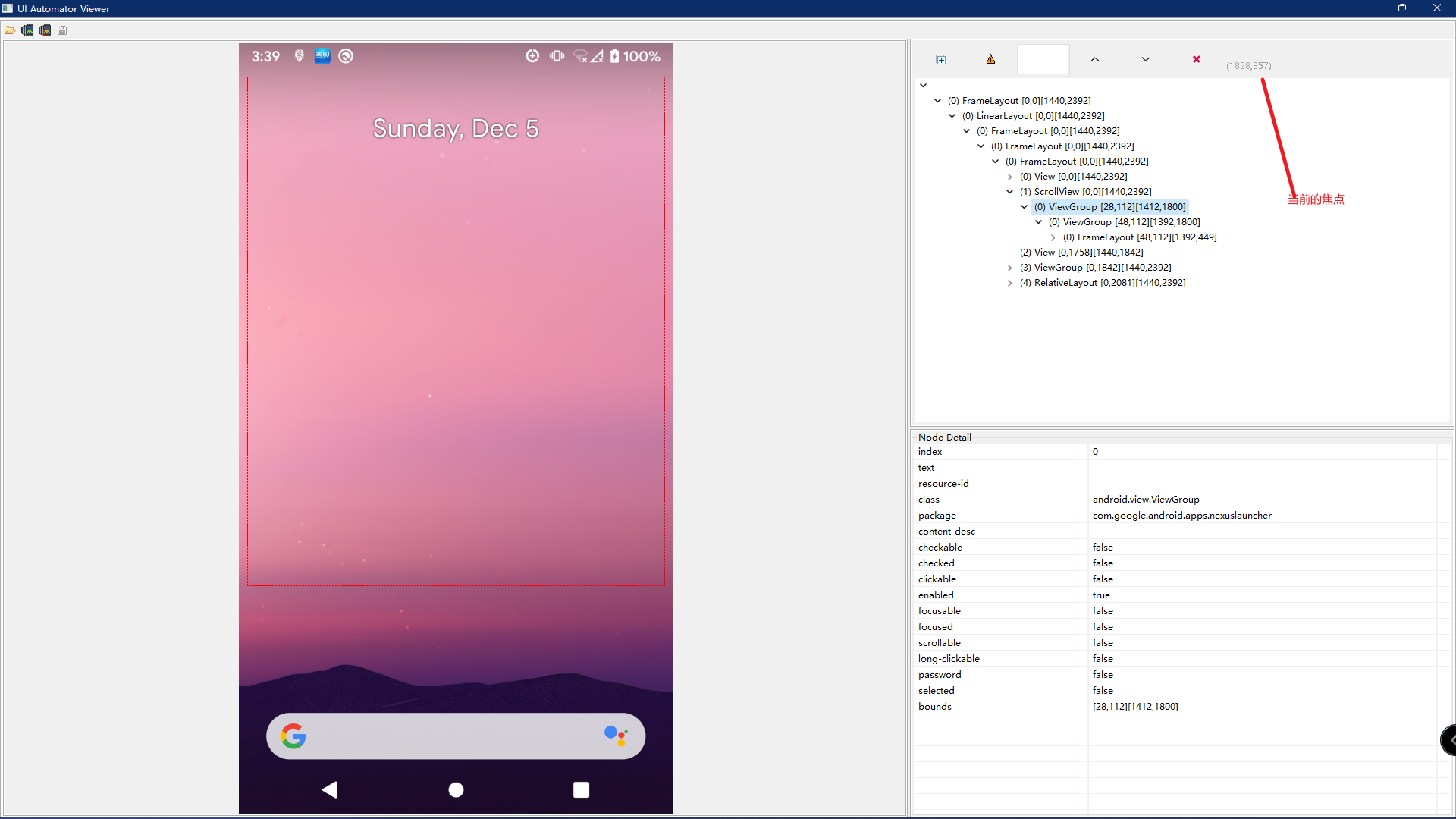
          • uiautomatorviewer文件夹(存放获取焦点工具,去云盘取)
          • 一些adb以及fastboot文件
        4. SETTING(本地路径的设置文件)
        5. VERSION文件(当前软件的版本号)

      如果需要使用反编译,以及获取当前界面的焦点的工具,几个工具太大。保存到了百度云盘,需要的可以放到tools文件夹下面。链接,提取码:xjwr。

    功能

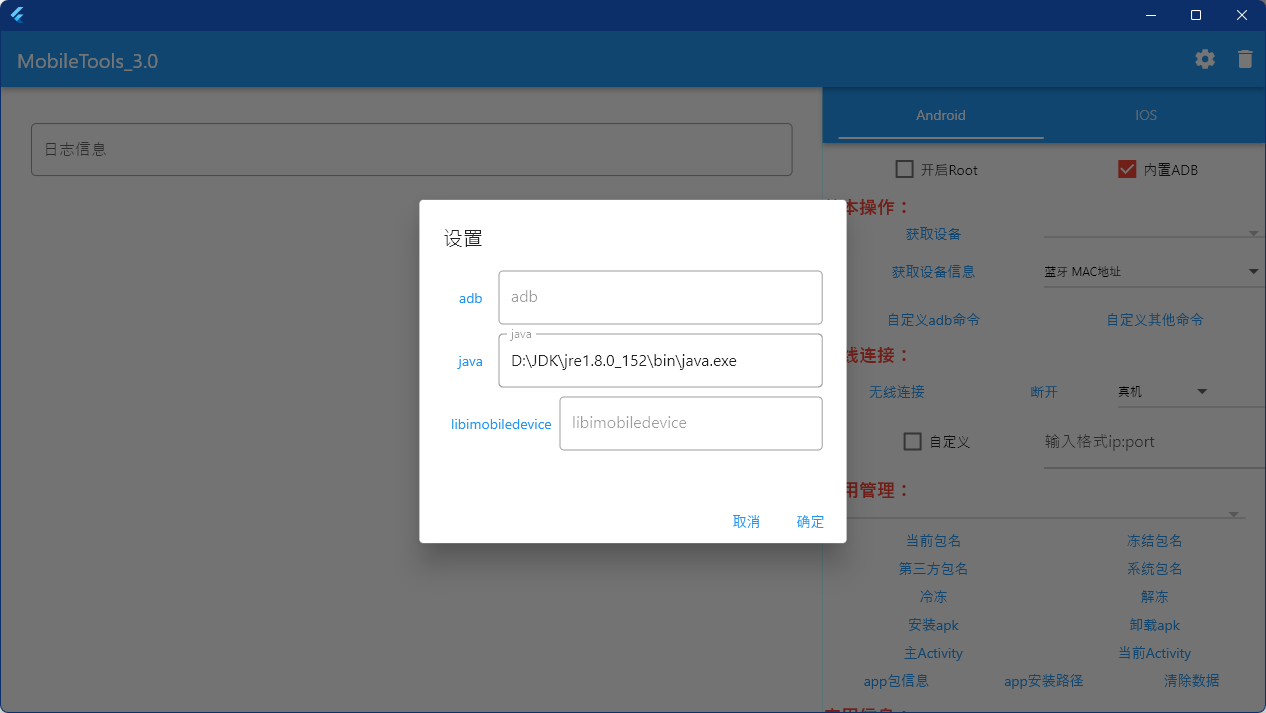
    设置

    • adb(选择本机的adb文件,以防止和内部adb冲突)
    • java(部分命令需要java环境,如果你不想配置环境变量,可以选择java文件)
    • libimobiledevice(IOS的环境,感觉用处不是很大)

    Android

    • 开启Root 如果手机有Root权限,可以打开,在获取信息的时候使用到。如果手机有Magisk,可以安装这个插件adb_root,可以让所有的命令都走root权限。

    • 内置ADB 如果你的电脑没有adb,打开这个开关会使用内置的adb。如果你电脑本身有adb,点击右上角的配置,配置adb路径,以免内置的adb和你安装的adb冲突。

    • 基本操作

      • 获取设备 获取当前所有连接的Android设备,展示在下拉框里面(如果当前只有单一设备,也可以不获取)
      • 获取设备信息 选择,然后点击获取信息,部分信息在高版本的手机上面需要Root权限
      • 自定义adb命令(3.0新增) 本软件没有涉及带的命令,可以添加保存,下次使用
      • 自定义其他命令(3.0新增) 相关其他终端命令,可以添加保存,下次使用
    • 无线连接

      • 无线连接 选择真机,非自定义的情况下会去获取当前真机的ip,获取成功直接去连接,获取失败,需要自定义去填入ip:port。选择其他模拟器设备,默认内置了所有模拟器的第一台设备的端口。然后点击无线连接就ok了。
      • 断开 只能断开无线连接的设备和模拟器
    • 应用管理

      • 当前包名 获取当前展示的app包名,展示在上面的下拉框里面。
      • 冻结包名(3.0新增) 获取所有冻结的app包名,展示在上面的下拉框里面。
      • 第三方包名(2.0新增) 获取当前所有第三方的app包名,展示在上面的下拉框里面。
      • 系统包名(2.0新增) 获取当前所有系统的app包名,展示在上面的下拉框里面。
      • 冷冻(3.0新增) 对当前选择的包名对应的apk进行冷冻
      • 解冻(3.0新增) 先获取所有冻结的包名,然后选择包名,进行解冻
      • 安装apk 选择本地的apk文件安装到手机上面
      • 卸载apk 卸载当前获取到包名的apk。
      • 主Activity(3.0新增) 获取当前包名的启动Activity类名。
      • 当前Activity(3.0新增) 当前正在展示的Activity类名。
      • app包信息(2.0新增) 当前获取到包名的app信息,可以复制部分信息为应用交互做准备。
      • apk安装路径 当前获取到包名的app路径。
      • 清除数据 清除当前获取到包名的缓存数据。
    • 应用信息(3.0新增)

      • 内部包名和外部apk 选择内部包名需要先获取包名,然后点击下面的按钮,选择外部apk,点击下面的按钮会弹窗让你选择apk
      • apk包信息 获取app的包信息(包含app包名、app名字、app版本、app启动类)
      • apk权限 获取apk需要的权限信息
    • 应用交互(2.0新增)

      以下3.0版本都对其进行了本地保存,可以自行添加,以供下次使用。存储在config文件夹下面。

      • 启动Activity 弹窗输入要启动的Activity名字,如果没有输入将启动当前获取包名的app。(关于启动类可以通过主Activity包信息获取)
      • 发送BroadcastReceiver 弹窗输入要启动的广播,下面也列出了部分系统广播,用于测试很难出现的广播。
      • 发送Service 弹出输入要启动的Service
      • 停止Service 弹出输入要通知的Service
    • 文件管理

      • 推送文件 选择文件推送到当前设备,默认推送位置/data/local/tmp。点击自定义路径,可以输入你想推送的路径。
      • 拉取文件 从当前设备拉取文件到桌面。
        1. 手机crash 点击手机crash,将收集所有crash日志,展示出来,然后选择时间点点击拉取crash。会推送到桌面
        2. 拉取文件 只是为了拉取文件。需要先配置搜索的文件路径,然后点击搜索,会搜索该路径下的所有文件。然后再点击拉取文件。也会推送到桌面。
        3. 拉取anr 直接点击,会直接拉取anr日志到桌面(时间有点长,耐心等待)
    • 模拟操作 你可以使用大部分模拟命令。

      • 打开获取焦点工具(3.0新增,需要java环境。需要从云盘获取工具放到tools文件夹)
      • 添加指令文件 支持4类指令。滑动、点击、文本、所有按键(参考adb_simulate_code.txt文件)
      • 刷新指令文件(3.0新增) 修改之后。可以直接刷新指令,直接使用
      • 执行指令
        用户执行指令的按钮
      • 停止指令 只有在开启循环时有效。表示停止执行循环
    • 逆向相关(3.0新增,需要java环境。需要从云盘获取工具放到tools文件夹)

      • Apktool拆包 使用apktool进行拆包。详情见Apktool
      • ApkTool合包 使用apktook进行合包。详情见Apktool
      • FakerAndroid 使用FakerAndroid进行拆包可以二次开发的gradle项目。详情见FakerAndroid
    • 刷机相关

      • 重启手机 重新启动手机
      • 重启到fastboot 重启手机到fastboot模式
      • 重启到recovery 重启手机到recovery模式
    • 实用操作

      • 截屏(2.0修改) 截取当前设备的界面,并且推送到桌面(命名 当前时间.png)
      • 录屏(2.0修改) 录取当前屏幕,需要先设置时间,完成后推送到桌面(命名 当前时间.mp4)
      • v2签名 使用apksigner的签名。可以进行替换,保证文件名一样。apksigner.json为签名的key以及密码。替换记得修改。
      • 前面校验 校验apk的签名信息

    IOS

    IOS意义不是很大,简单写了几个命令。要下itunes,还有下面的工具,提供获取设备,获取包名,安装和卸载ipa。直接用爱思吧。

    编译

    所有平台应用都改成了占当前屏幕的2/3,采用居中显示,linux没有居中,GTK没搞过。

    • windows

      安装Visual Studio,c++桌面包。
      flutter build windows  //进行编译。
      在build/windows/runner 会生成Visual Studio的解决方案工程,可以导入进行开发。
      生成的exe在build/windows/runner/Release/*.exe
      
    • linux

      //linux需要安装以下依赖
      sudo apt-get update
      sudo apt install clang
      sudo apt install cmake
      sudo apt install ninja-build
      sudo apt install libgtk-3-dev
      
      
      file INSTALL cannot copy file  //出现这个问题
      flutter clean  //执行这个然后重启AndroidStudio
      
      flutter build linux //生成release包,文件在build/linux/release/bundle下面
      
      使用adb出现adb devices => no permissions (user in plugdev group; are your udev rules wrong?) [duplicate]
      参考地址解决:https://stackoverflow.com/questions/53887322/adb-devices-no-permissions-user-in-plugdev-group-are-your-udev-rules-wrong
      
      
    • macos

      安装Xcode,然后在编译的时候遇到很多小问题。然后百度解决了,其中一个
      [tool_crash] Invalid argument(s): Cannot find executable for /Users/imac/Documents/FlutterSDK/flutter/bin/cache/artifacts
      解决方案:https://github.com/flutter/flutter/issues/85107
      
      flutter build macos //生成release包,文件在build/macos/Build/Products/Release/下面
      将mac目录下的文件倒入xcode可进行开发
      

    截图展示

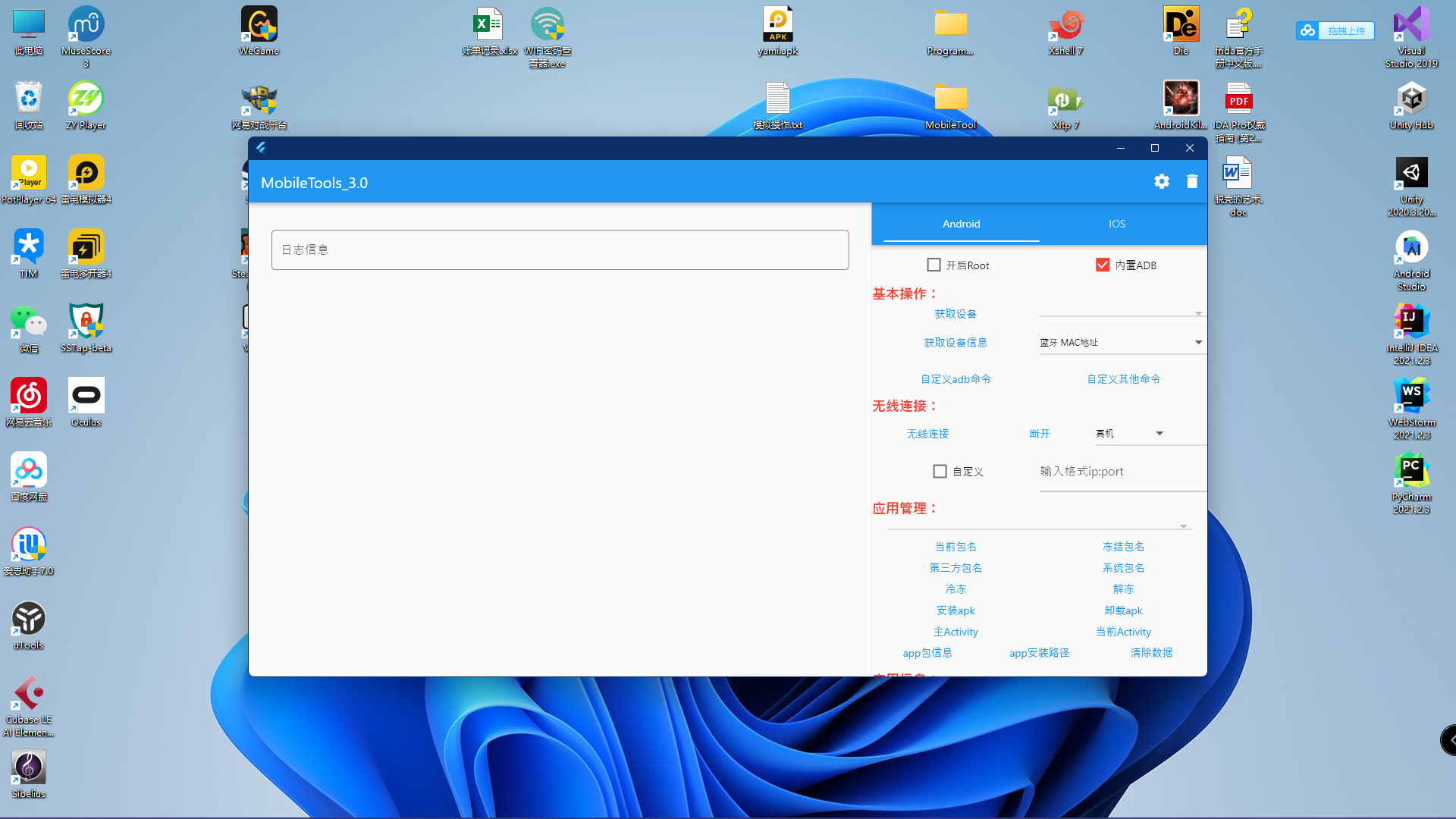
    • windows(1920*1080) screenshots/windows.png

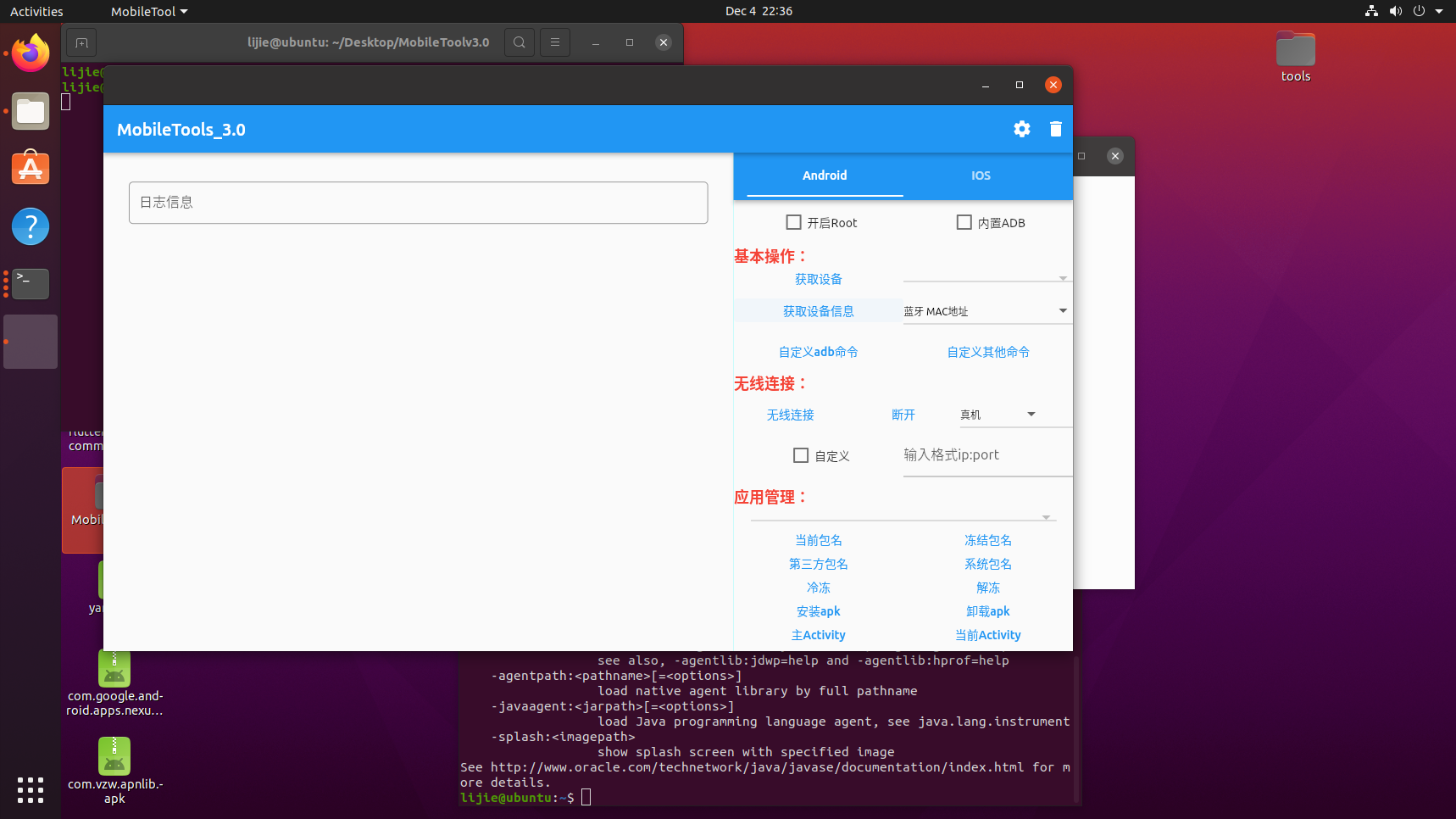
    • linux (1920*1080) screenshots/linux.png

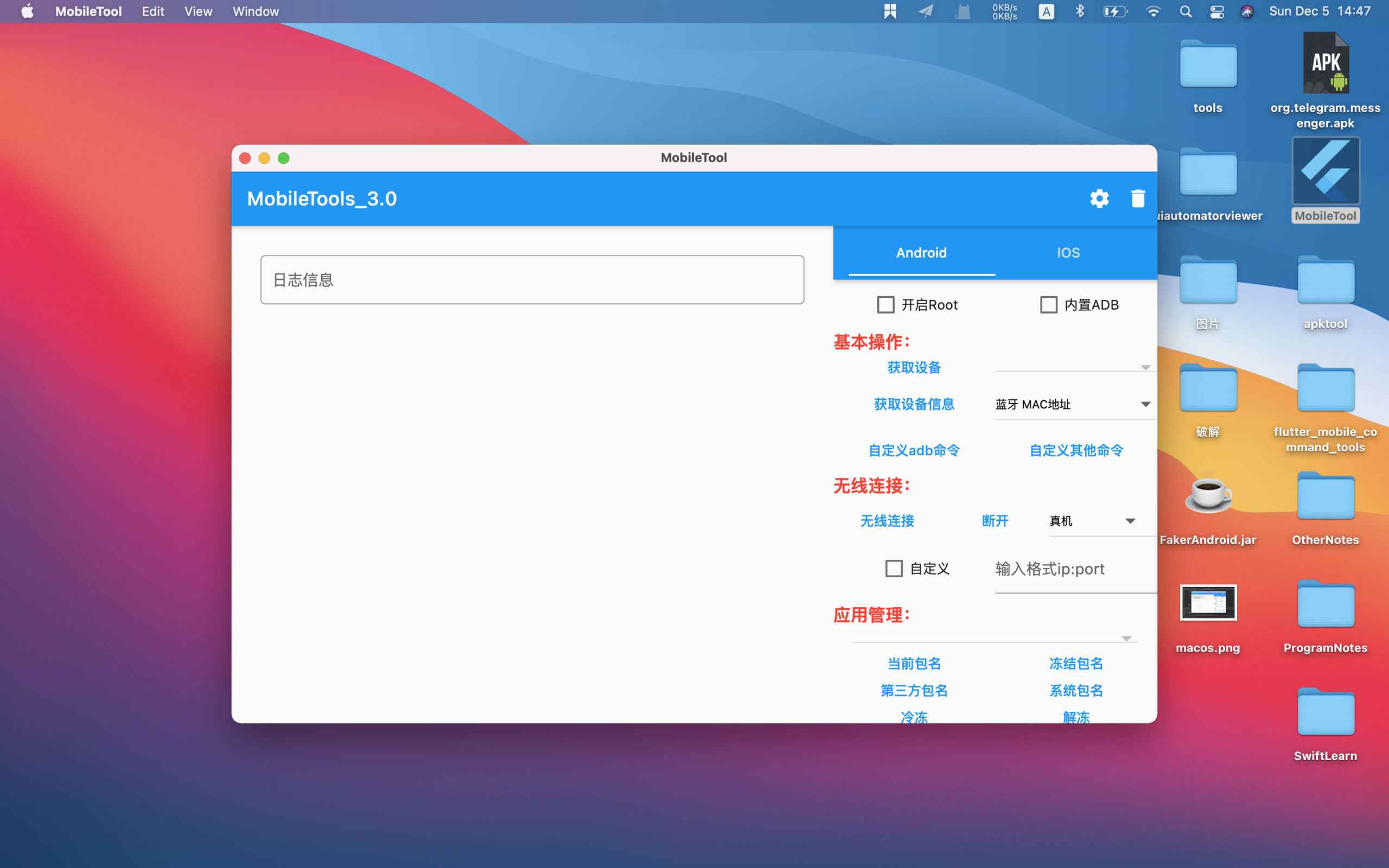
    • macos (1440*960) screenshots/macos.png

    其他

    Visit original content creator repository
  • triple-buffer

    Triple buffering in Rust

    MPLv2 licensed On crates.io On docs.rs Continuous Integration Requires rustc 1.74.0+

    What is this?

    This is an implementation of triple buffering written in Rust. You may find it useful for the following class of thread synchronization problems:

    • There is one producer thread and one consumer thread
    • The producer wants to update a shared memory value periodically
    • The consumer wants to access the latest update from the producer at any time

    For many use cases, you can use the ergonomic write/read interface, where the producer moves values into the buffer and the consumer accesses the latest buffer by shared reference:

    // Create a triple buffer
    use triple_buffer::triple_buffer;
    let (mut buf_input, mut buf_output) = triple_buffer(&0);
    
    // The producer thread can move a value into the buffer at any time
    let producer = std::thread::spawn(move || buf_input.write(42));
    
    // The consumer thread can read the latest value at any time
    let consumer = std::thread::spawn(move || {
        let latest = buf_output.read();
        assert!(*latest == 42 || *latest == 0);
    });
    
    // Wait for both threads to be done
    producer.join().unwrap();
    consumer.join().unwrap();

    In situations where moving the original value away and being unable to modify it on the consumer’s side is too costly, such as if creating a new value involves dynamic memory allocation, you can use a lower-level API which allows you to access the producer and consumer’s buffers in place and to precisely control when updates are propagated:

    // Create and split a triple buffer
    use triple_buffer::triple_buffer;
    let (mut buf_input, mut buf_output) = triple_buffer(&String::with_capacity(42));
    
    // --- PRODUCER SIDE ---
    
    // Mutate the input buffer in place
    {
        // Acquire a reference to the input buffer
        let input = buf_input.input_buffer_mut();
    
        // In general, you don't know what's inside of the buffer, so you should
        // always reset the value before use (this is a type-specific process).
        input.clear();
    
        // Perform an in-place update
        input.push_str("Hello, ");
    }
    
    // Publish the above input buffer update
    buf_input.publish();
    
    // --- CONSUMER SIDE ---
    
    // Manually fetch the buffer update from the consumer interface
    buf_output.update();
    
    // Acquire a read-only reference to the output buffer
    let output = buf_output.output_buffer();
    assert_eq!(*output, "Hello, ");
    
    // Or acquire a mutable reference if necessary
    let output_mut = buf_output.output_buffer_mut();
    
    // Post-process the output value before use
    output_mut.push_str("world!");

    Finally, as a middle ground before the maximal ergonomics of the write() API and the maximal control of the input_buffer_mut()/publish() API, you can also use the input_buffer_publisher() RAII API on the producer side, which ensures that publish() is automatically called when the resulting input buffer handle goes out of scope:

    // Create and split a triple buffer
    use triple_buffer::triple_buffer;
    let (mut buf_input, _) = triple_buffer(&String::with_capacity(42));
    
    // Mutate the input buffer in place and publish it
    {
        // Acquire a reference to the input buffer
        let mut input = buf_input.input_buffer_publisher();
    
        // In general, you don't know what's inside of the buffer, so you should
        // always reset the value before use (this is a type-specific process).
        input.clear();
    
        // Perform an in-place update
        input.push_str("Hello world!");
    
        // Input buffer is automatically published at the end of the scope of
        // the "input" RAII guard
    }
    
    // From this point on, the consumer can see the updated version

    Give me details! How does it compare to alternatives?

    Compared to a mutex:

    • Only works in single-producer, single-consumer scenarios
    • Is nonblocking, and more precisely bounded wait-free. Concurrent accesses will be slowed down by cache contention, but no deadlock, livelock, or thread scheduling induced slowdown is possible.
    • Allows the producer and consumer to work simultaneously
    • Uses a lot more memory (3x payload + 3x bytes vs 1x payload + 1 bool)
    • Does not allow in-place updates, as the producer and consumer do not access the same memory location
    • Should have faster reads and slower updates, especially if in-place updates are more efficient than writing a fresh copy of the data.
      • When the data hasn’t been updated, the readout transaction of triple buffering only requires a memory read, no atomic operation, and it can be performed in parallel with any ongoing update.
      • When the data has been updated, the readout transaction requires an infaillible atomic operation, which may or may not be faster than the faillible atomic operations used by most mutex implementations.
      • Unless your data cannot be updated in place and must always be fully rewritten, the ability provided by mutexes to update data in place should make updates a lot more efficient, dwarfing any performance difference originating from the synchronization protocol.

    Compared to the read-copy-update (RCU) primitive from the Linux kernel:

    • Only works in single-producer, single-consumer scenarios
    • Has higher dirty read overhead on relaxed-memory architectures (ARM, POWER…)
    • Does not require accounting for reader “grace periods”: once the reader has gotten access to the latest value, the synchronization transaction is over
    • Does not use the compare-and-swap hardware primitive on update, which is inefficient by design as it forces its users to retry transactions in a loop.
    • Does not suffer from the ABA problem, allowing much simpler code
    • Allocates memory on initialization only, rather than on every update
    • May use more memory (3x payload + 3x bytes vs 1x pointer + amount of payloads and refcounts that depends on the readout and update pattern)
    • Should be slower if updates are rare, faster if updates are frequent
      • The RCU’s happy reader path is slightly faster (no flag to check), but its update procedure is a lot more involved and costly.

    Compared to sending the updates on a message queue:

    • Only works in single-producer, single-consumer scenarios (queues can work in other scenarios, although the implementations are much less efficient)
    • Consumer only has access to the latest state, not the previous ones
    • Consumer does not need to get through every previous state
    • Is nonblocking AND uses bounded amounts of memory (with queues, it’s a choice, unless you use one of those evil queues that silently drop data when full)
    • Can transmit information in a single move, rather than two
    • Should be faster for any compatible use case.
      • Queues force you to move data twice, once in, once out, which will incur a significant cost for any nontrivial data. If the inner data requires allocation, they force you to allocate for every transaction. By design, they force you to store and go through every update, which is not useful when you’re only interested in the latest version of the data.

    In short, triple buffering is what you’re after in scenarios where a shared memory location is updated frequently by a single writer, read by a single reader who only wants the latest version, and you can spare some RAM.

    • If you need multiple producers, look somewhere else
    • If you need multiple consumers, you may be interested in my related “SPMC buffer” work, which basically extends triple buffering to multiple consumers
    • If you can’t tolerate the RAM overhead or want to update the data in place, try a Mutex instead (or possibly an RWLock)
    • If the shared value is updated very rarely (e.g. every second), try an RCU
    • If the consumer must get every update, try a message queue

    How do I know your unsafe lock-free code is working?

    By running the tests, of course! Which is unfortunately currently harder than I’d like it to be.

    First of all, we have sequential tests, which are very thorough but obviously do not check the lock-free/synchronization part. You run them as follows:

    $ cargo test
    

    Then we have concurrent tests where, for example, a reader thread continuously observes the values from a rate-limited writer thread, and makes sure that he can see every single update without any incorrect value slipping in the middle.

    These tests are more important, but also harder to run because one must first check some assumptions:

    • The testing host must have at least 2 physical CPU cores to test all possible race conditions
    • No other code should be eating CPU in the background. Including other tests.
    • As the proper writing rate is system-dependent, what is configured in this test may not be appropriate for your machine.
    • You must test in release mode, as compiler optimizations tend to create more opportunities for race conditions.

    Taking this and the relatively long run time (~10-20 s) into account, the concurrent tests are ignored by default. To run them, make sure nothing is eating CPU in the background and do:

    $ cargo test --release -- --ignored --nocapture --test-threads=1
    

    Finally, we have benchmarks, which allow you to test how well the code is performing on your machine. We are now using criterion for said benchmarks, which seems that to run them, you can simply do:

    $ cargo install cargo-criterion
    $ cargo criterion
    

    These benchmarks exercise the worst-case scenario of u8 payloads, where synchronization overhead dominates as the cost of reading and writing the actual data is only 1 cycle. In real-world use cases, you will spend more time updating buffers and less time synchronizing them.

    However, due to the artificial nature of microbenchmarking, the benchmarks must exercise two scenarios which are respectively overly optimistic and overly pessimistic:

    1. In uncontended mode, the buffer input and output reside on the same CPU core, which underestimates the overhead of transferring modified cache lines from the L1 cache of the source CPU to that of the destination CPU.
      • This is not as bad as it sounds, because you will pay this overhead no matter what kind of thread synchronization primitive you use, so we’re not hiding triple-buffer specific overhead here. All you need to do is to ensure that when comparing against another synchronization primitive, that primitive is benchmarked in a similar way.
    2. In contended mode, the benchmarked half of the triple buffer is operating under maximal load from the other half, which is much more busy than what is actually going to be observed in real-world workloads.
      • In this configuration, what you’re essentially measuring is the performance of your CPU’s cache line locking protocol and inter-CPU core data transfers under the shared data access pattern of triple-buffer.

    Therefore, consider these benchmarks’ timings as orders of magnitude of the best and the worst that you can expect from triple-buffer, where actual performance will be somewhere inbetween these two numbers depending on your workload.

    On an Intel Core i3-3220 CPU @ 3.30GHz, typical results are as follows:

    • Clean read: 0.9 ns
    • Write: 6.9 ns
    • Write + dirty read: 19.6 ns
    • Dirty read (estimated): 12.7 ns
    • Contended write: 60.8 ns
    • Contended read: 59.2 ns

    License

    This crate is distributed under the terms of the MPLv2 license. See the LICENSE file for details.

    More relaxed licensing (Apache, MIT, BSD…) may also be negociated, in exchange of a financial contribution. Contact me for details at knights_of_ni AT gmx DOTCOM.

    Visit original content creator repository
  • terraform-aws-artifactory-oss

    terraform-aws-artifactory-oss

    Build Status Latest Release GitHub tag (latest SemVer) Terraform VersionInfrastructure Tests pre-commit checkov Infrastructure Tests

    Terraform module –


    It’s 100% Open Source and licensed under the APACHE2.

    Usage

    This is just a very basic example using Bitnamis AMI.

    alt text

    Copy the example or just include module.art.tf from this repository as a module in your existing Terraform code:

    module "art" {
      source             = "JamesWoolfenden/artifactory-oss/aws"
      version            = "0.1.0"
      common_tags        = var.common_tags
      instance_type      = var.instance_type
      key_name           = var.key_name
      vpc_id             = var.vpc_id
      ssl_certificate_id = var.ssl_certificate_id
      sec_group_name     = var.sec_group_name
      allowed_cidr       = var.allowed_cidr
      subnet_id          = var.subnet_id
      ssh_cidr           = var.ssh_cidr
      record             = var.record
      zone_id            = var.zone_id
    }

    Costs

    Monthly cost estimate
    
    Project: .
    
     Name                                                 Monthly Qty  Unit         Monthly Cost
    
     module.art.aws_elb.service_elb
     ├─ Classic load balancer                                     730  hours              $21.46
     └─ Data processed                                    Cost depends on usage: $0.0084 per GB
    
     module.art.aws_instance.art
     ├─ Instance usage (Linux/UNIX, on-demand, t2.small)          730  hours              $18.98
     ├─ EC2 detailed monitoring                                     7  metrics             $2.10
     └─ root_block_device
        └─ Storage (general purpose SSD, gp2)                     100  GB-months          $11.60
    
     PROJECT TOTAL                                                                        $54.14
    

    Requirements

    No requirements.

    Providers

    Name Version
    aws n/a
    local n/a
    tls n/a

    Modules

    No modules.

    Resources

    Name Type
    aws_elb.service_elb resource
    aws_instance.art resource
    aws_key_pair.art resource
    aws_route53_record.www resource
    aws_security_group.art resource
    aws_security_group.elb resource
    local_file.private_ssh resource
    local_file.public_ssh resource
    tls_private_key.ssh resource
    aws_ami.art data source
    aws_ebs_default_kms_key.current data source

    Inputs

    Name Description Type Default Required
    allowed_cidr n/a list(any) n/a yes
    common_tags Implements the common_tags scheme map(any) n/a yes
    instance_type Instance type for your Artifactory instance string "t2.small" no
    key_name n/a string n/a yes
    record The DNS name for Route53 string n/a yes
    sec_group_name n/a string n/a yes
    ssh_cidr n/a list(any) n/a yes
    ssl_certificate_id Your SSL certificate ID from ACM to add to your Load balancer string n/a yes
    subnet_id Your Subnets… string n/a yes
    vpc_id n/a string n/a yes
    zone_id The ZOne to use for your DNS record string n/a yes

    Outputs

    Name Description
    elb n/a
    instance n/a
    record n/a

    Policy

    The Terraform resource required is:

    resource "aws_iam_policy" "terraform_pike" {
      name_prefix = "terraform_pike"
      path        = "https://github.com/"
      description = "Pike Autogenerated policy from IAC"
    
      policy = jsonencode({
        "Version": "2012-10-17",
        "Statement": [
            {
                "Sid": "VisualEditor0",
                "Effect": "Allow",
                "Action": [
                    "ec2:AuthorizeSecurityGroupEgress",
                    "ec2:AuthorizeSecurityGroupIngress",
                    "ec2:CreateKeyPair",
                    "ec2:CreateSecurityGroup",
                    "ec2:CreateTags",
                    "ec2:DeleteKeyPair",
                    "ec2:DeleteSecurityGroup",
                    "ec2:DeleteTags",
                    "ec2:DescribeAccountAttributes",
                    "ec2:DescribeImages",
                    "ec2:DescribeInstanceAttribute",
                    "ec2:DescribeInstanceCreditSpecifications",
                    "ec2:DescribeInstanceTypes",
                    "ec2:DescribeInstances",
                    "ec2:DescribeKeyPairs",
                    "ec2:DescribeNetworkInterfaces",
                    "ec2:DescribeSecurityGroups",
                    "ec2:DescribeTags",
                    "ec2:DescribeVolumes",
                    "ec2:GetEbsDefaultKmsKeyId",
                    "ec2:ImportKeyPair",
                    "ec2:ModifyInstanceAttribute",
                    "ec2:MonitorInstances",
                    "ec2:RevokeSecurityGroupEgress",
                    "ec2:RevokeSecurityGroupIngress",
                    "ec2:RunInstances",
                    "ec2:StartInstances",
                    "ec2:StopInstances",
                    "ec2:TerminateInstances",
                    "ec2:UnmonitorInstances"
                ],
                "Resource": "*"
            },
            {
                "Sid": "VisualEditor1",
                "Effect": "Allow",
                "Action": [
                    "elasticloadbalancing:AddTags",
                    "elasticloadbalancing:AttachLoadBalancerToSubnets",
                    "elasticloadbalancing:CreateLoadBalancer",
                    "elasticloadbalancing:CreateLoadBalancerListeners",
                    "elasticloadbalancing:DeleteLoadBalancer",
                    "elasticloadbalancing:DescribeLoadBalancerAttributes",
                    "elasticloadbalancing:DescribeLoadBalancers",
                    "elasticloadbalancing:DescribeTags",
                    "elasticloadbalancing:ModifyLoadBalancerAttributes",
                    "elasticloadbalancing:RemoveTags"
                ],
                "Resource": "*"
            },
            {
                "Sid": "VisualEditor2",
                "Effect": "Allow",
                "Action": [
                    "route53:ChangeResourceRecordSets",
                    "route53:GetChange",
                    "route53:GetHostedZone",
                    "route53:ListResourceRecordSets"
                ],
                "Resource": "*"
            }
        ]
    })
    }
    

    Related Projects

    Check out these related projects.

    Help

    Got a question?

    File a GitHub issue.

    Contributing

    Bug Reports & Feature Requests

    Please use the issue tracker to report any bugs or file feature requests.

    Copyrights

    Copyright © 2019-2022 James Woolfenden

    License

    License

    See LICENSE for full details.

    Licensed to the Apache Software Foundation (ASF) under one or more contributor license agreements. See the NOTICE file distributed with this work for additional information regarding copyright ownership. The ASF licenses this file to you under the Apache License, Version 2.0 (the “License”); you may not use this file except in compliance with the License. You may obtain a copy of the License at

    https://www.apache.org/licenses/LICENSE-2.0

    Unless required by applicable law or agreed to in writing, software distributed under the License is distributed on an “AS IS” BASIS, WITHOUT WARRANTIES OR CONDITIONS OF ANY KIND, either express or implied. See the License for the specific language governing permissions and limitations under the License.

    Contributors

    James Woolfenden
    James Woolfenden

    Visit original content creator repository
  • signature


    logo

    A passwordless (biometric based) web authentication system.

    Signature for Developer Signature Client Demo Signature App Landing Page

    Signatures' License Signatures' Workflow Status (with branch) Signatures' Code Size Top Language used in Signature


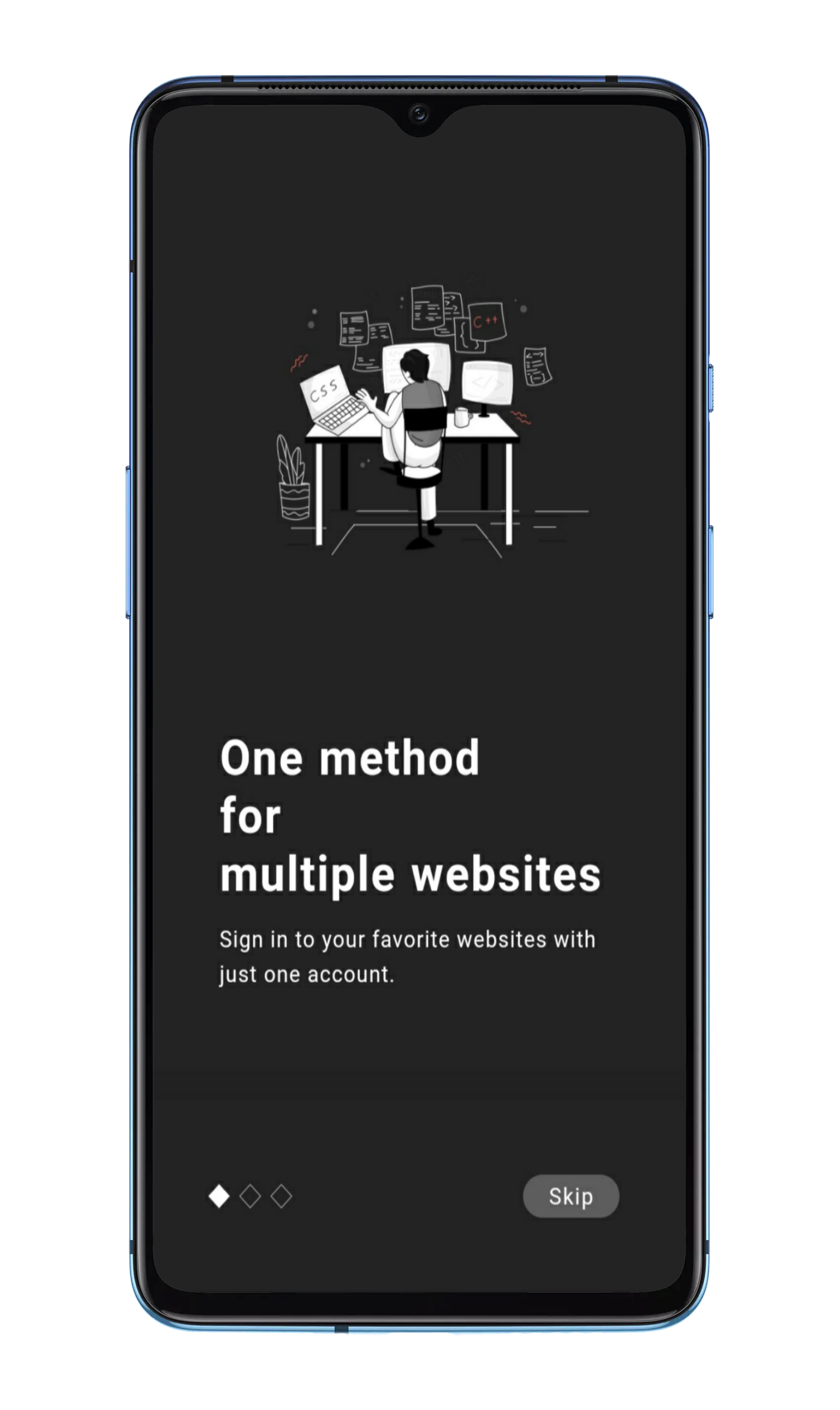
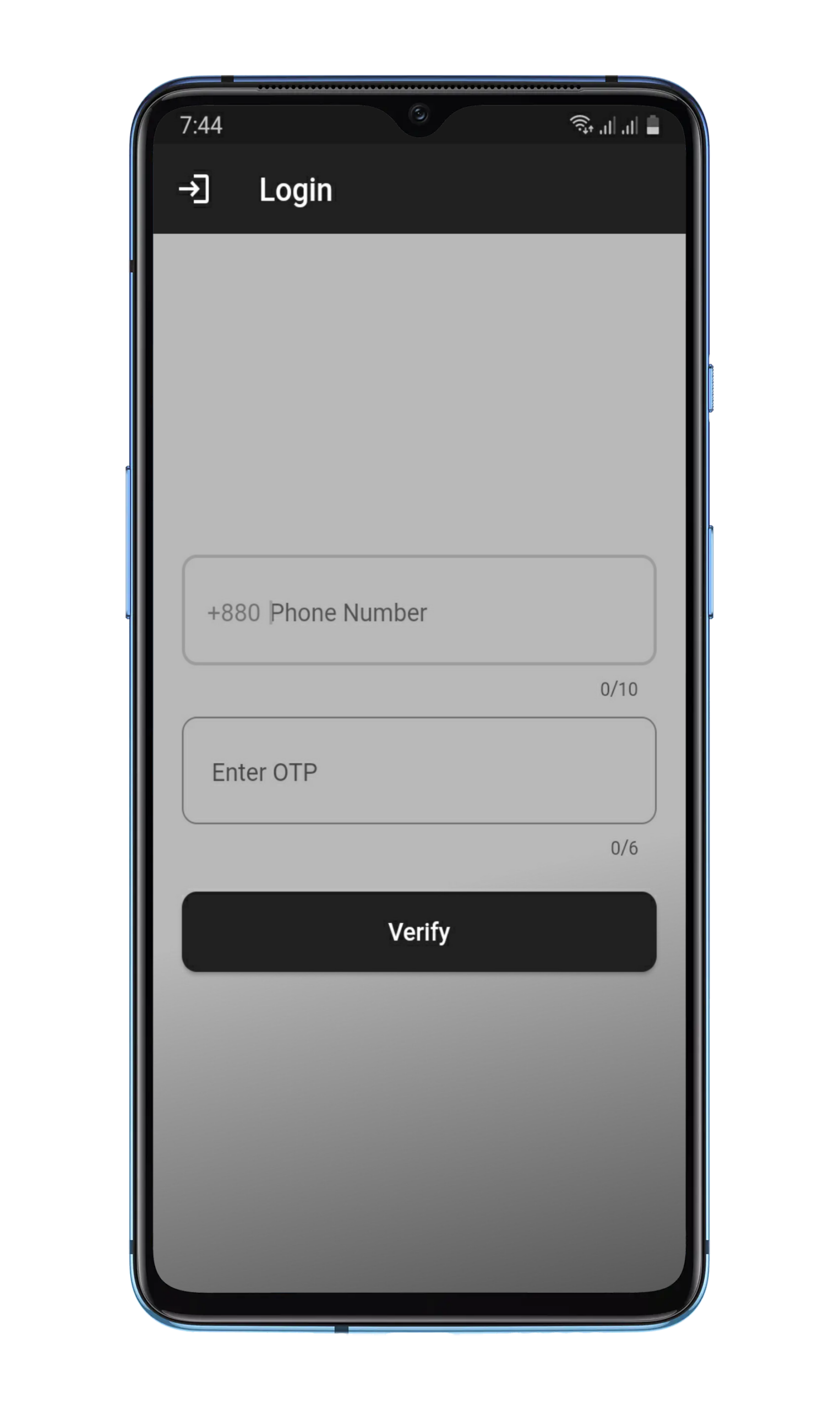
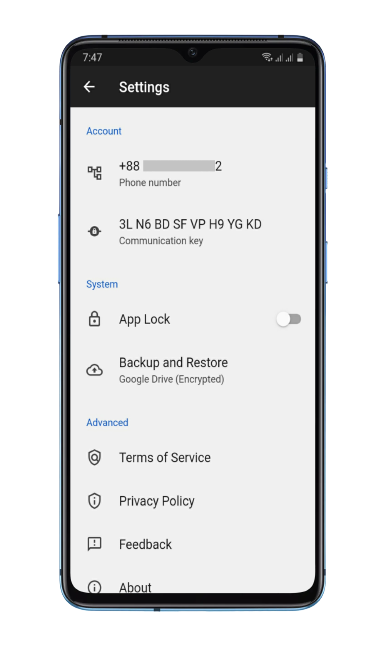
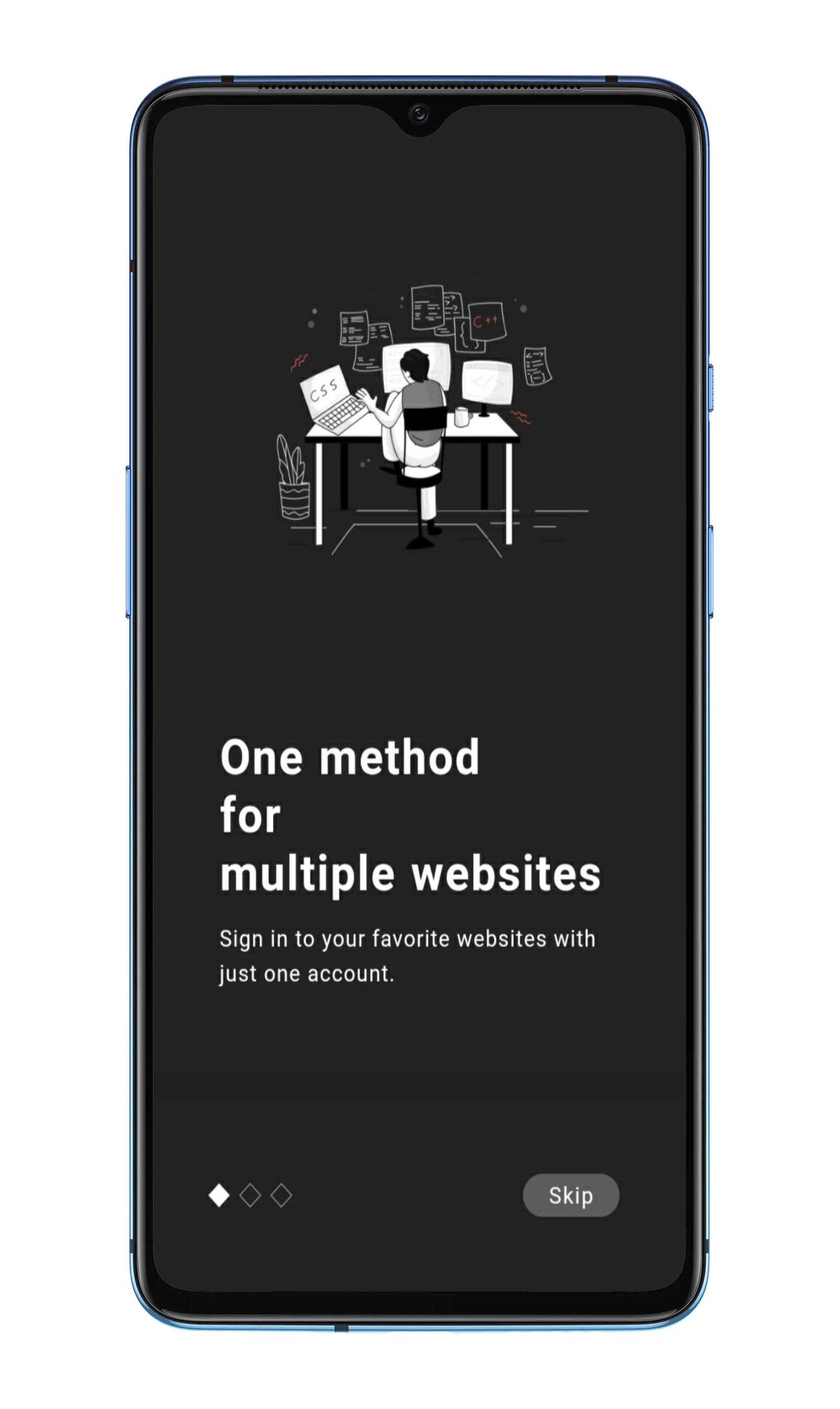
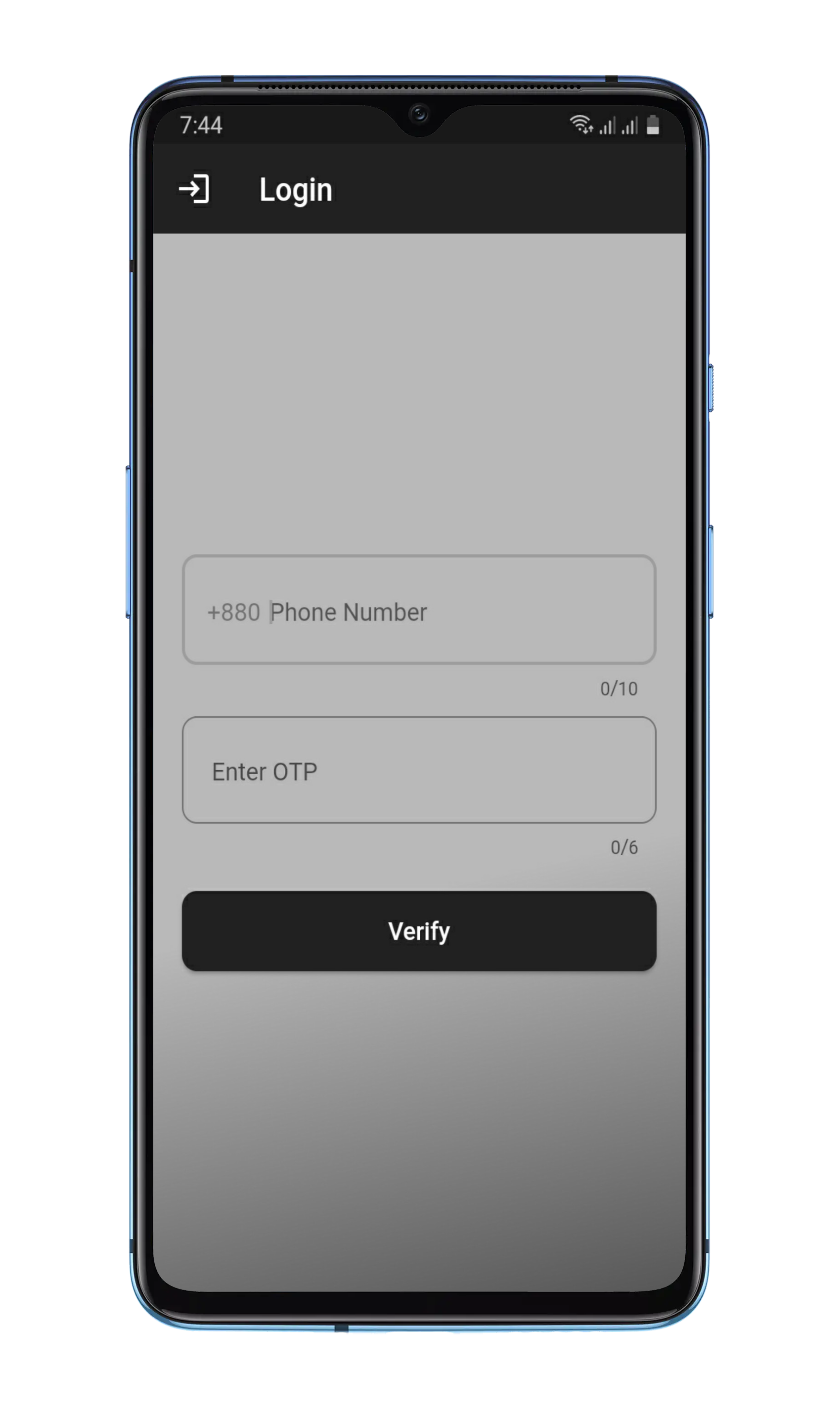
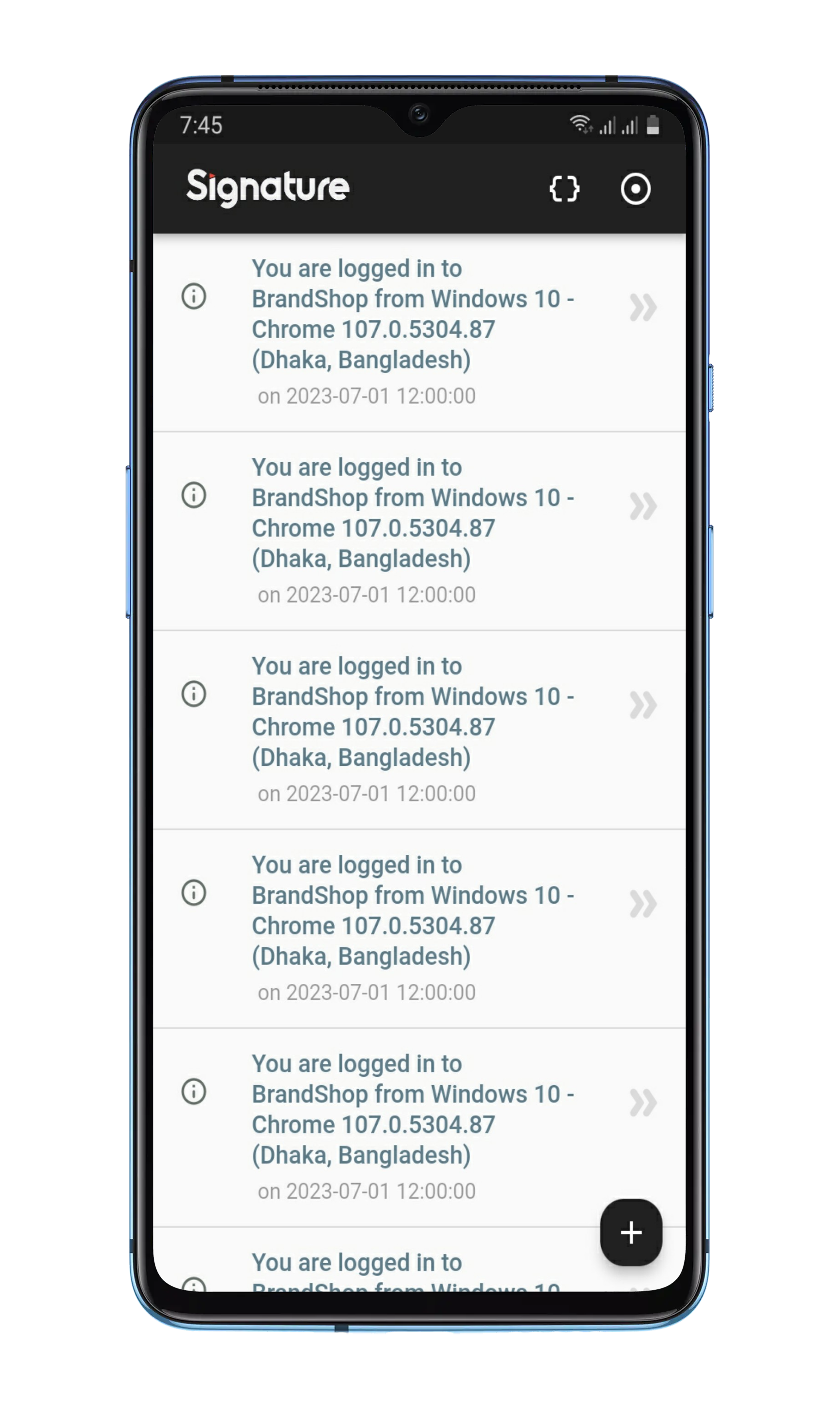
    Onboarding SignUp LockScreen
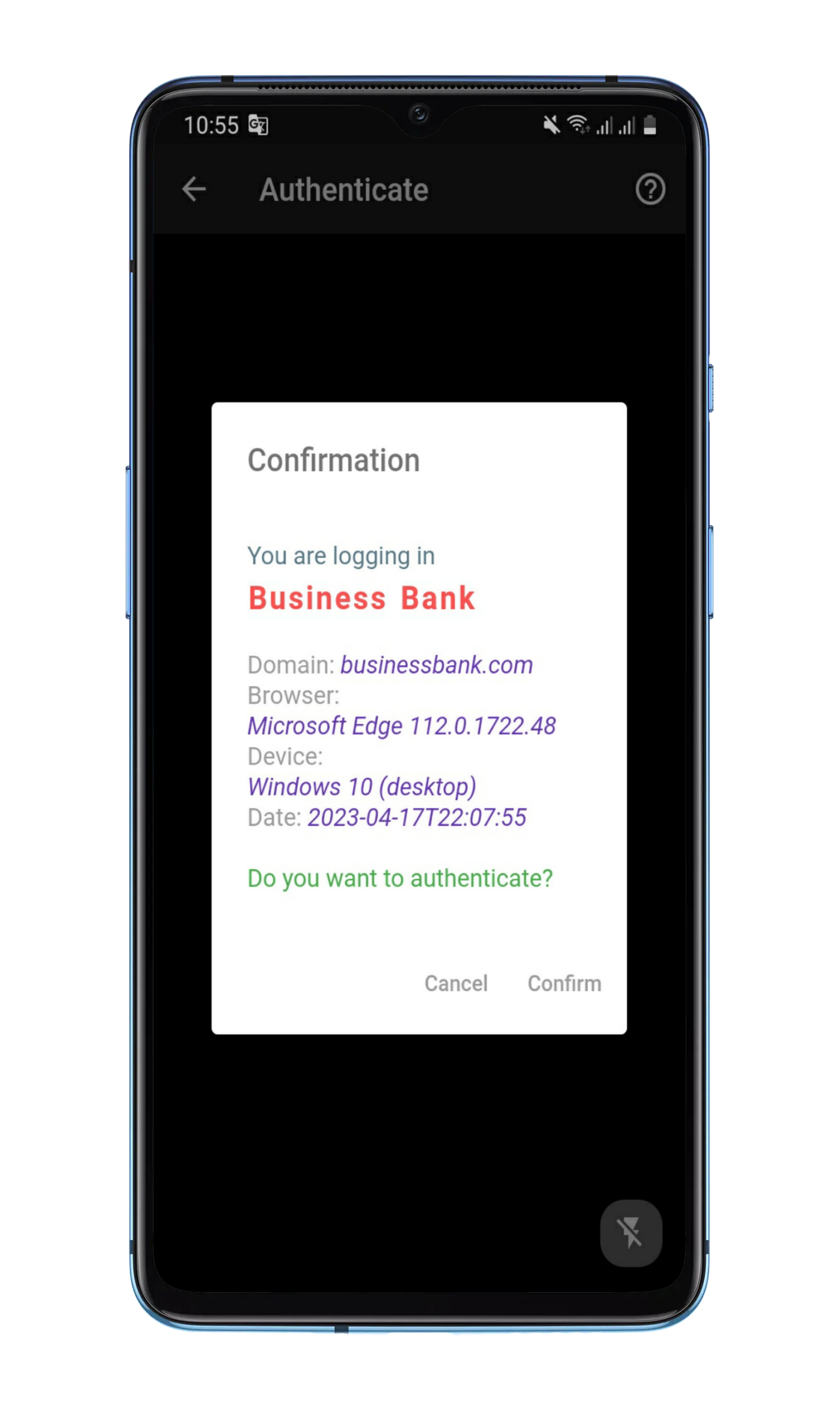
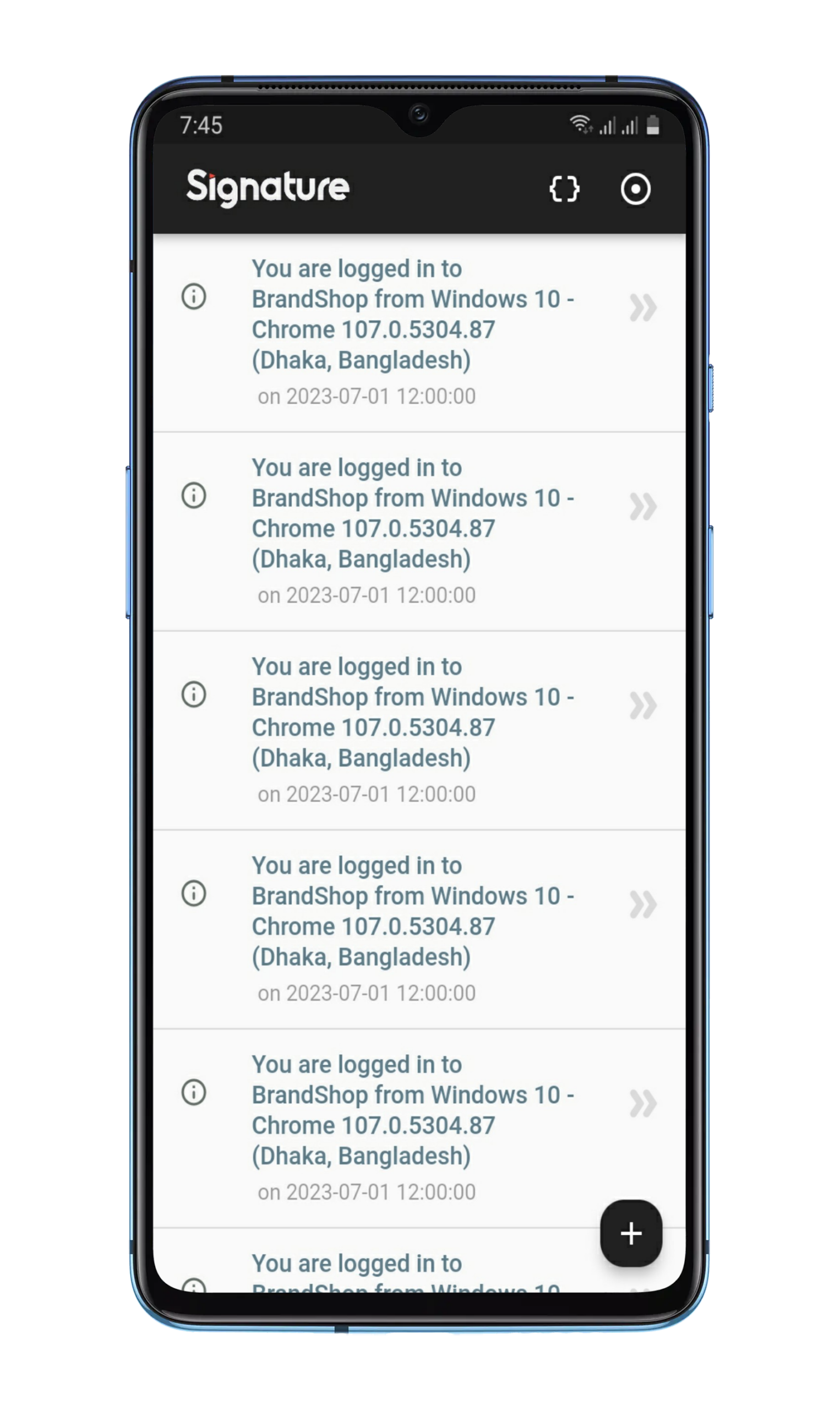
    AuthConfirmation Homepage Settings

    Getting Started

    1. Clone the GitHub repository:

      git clone https://github.com/aratheunseen/signature-passwordless-web-authenticaton.git
    2. Navigate to the project directory:

      cd signature-passwordless-web-authenticaton
      
    3. Get the required dependencies by running the following command:

      flutter pub get
      
    4. Next, you need to create a new Firebase project and configure it for this application. You can follow the instructions in this article: https://firebase.google.com/docs/flutter/setup.

    5. Once your Firebase project is set up, you’ll need to add your Firebase configuration files to the project. Specifically, you’ll need to add your google-services.json file for Android. You can download these files from the Firebase console.

    6. After adding the Firebase configuration files, you need to enable Firebase Authentication in your Firebase project. You can do this by going to the Authentication section in the Firebase console and following the instructions to enable authentication. Once Firebase Authentication is enabled, you’ll need to set up the Firebase Authentication providers in your Flutter app. Specifically, you’ll need to configure the phone authentication provider. You can follow the instructions in this article: https://firebase.google.com/docs/auth/flutter/start.

    7. Connect your Android or iOS device to your computer, or launch an emulator.

    8. Run the app by executing the following command:

      flutter run
      

      This will launch the app on your device or emulator.

    9. If you want to build an APK file, run the following command:

      flutter build apk --release
      

    Note: Before running the app, make sure you have a suitable development environment set up for Flutter. You can refer to the official documentation for more information on setting up your development environment: https://flutter.dev/docs/get-started/install.

    Requirements

    1. Flutter SDK installed on your computer
    2. Android Studio or VS Code with Flutter extensions installed
    3. An emulator or physical device to run the app on
    4. Git installed on your computer to clone the repository
    Visit original content creator repository